Claim SOL
Collect SOL from multiple wallets into a single destination address. Claiming SOL is always free in PumpKit.
Access
User Menu → Claim
Modes
From Selected Wallets (2FA)
- Sweep SOL from wallets currently selected in the Wallets Panel.
- Requires Telegram 2FA for security.
- Best when you want to claim only from specific wallets you've chosen.
- After selecting, choose Standard or Stealth for the transfer method.
From Active Wallets (2FA)
- Transfer SOL from your Dev and Trade wallets (all active wallets in your account).
- Requires Telegram 2FA for security.
- Best for routine sweeps and safe consolidations.
- After selecting, choose Standard or Stealth for the transfer method.
From Private Keys (no 2FA)
- Paste private keys manually to sweep SOL into a chosen destination.
- Supports up to 101 keys per operation.
- Use Case: Recovering funds if a dispersion fails and SOL remains in generated wallets.
Claim Methods (Standard vs Stealth)
For From Selected Wallets and From Active Wallets only, you choose how the transfer is executed:
Standard
- Direct transfer from each wallet to the destination.
Stealth
- Will not link wallets on-chain.
- Leaves no dust in source wallets.
- ⚠️ Do not use for CEX wallets (centralized exchange deposit addresses).
- Same pattern as Hard dispersion.
How It Works
From Selected Wallets (2FA)
- Select wallets in the Wallets Panel.
- Open Claim and choose From Selected Wallets.
- Choose Standard (direct) or Stealth (untraceable).
- Enter your destination address and confirm.
- Enter the Telegram 2FA code - PumpKit sweeps SOL from the selected wallets.
From Active Wallets (2FA)
- Open Claim and choose From Active Wallets.
- Choose Standard (direct) or Stealth (untraceable).
- Enter your destination address.
- Confirm - you’ll receive a Telegram 2FA code.
- Enter the code - PumpKit sweeps SOL into the destination wallet.
From Private Keys (no 2FA)
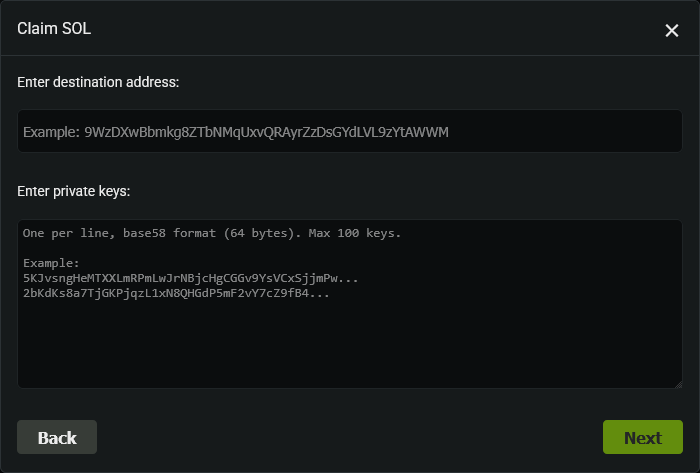
- Open Claim and choose From Private Keys.
- Enter your destination address.
- Paste one or more private keys (max 101).
- Execute - PumpKit transfers all balances.
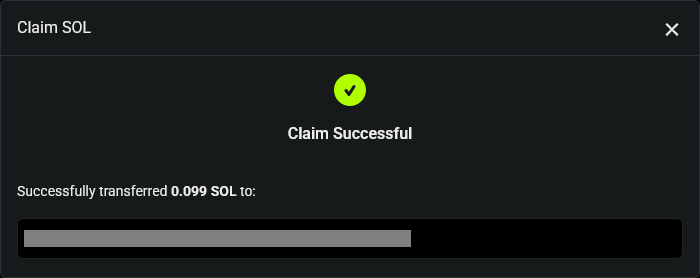
- The output shows:
- ✅ Total SOL collected
- ✅ Success/fail counts
- ✅ Transaction signatures
- ⚠️ Any invalid keys
💡 Notes & Tips
- From Active Wallets (2FA) is the safest option - recommended for most users.
- From Selected Wallets (2FA) is useful when you only want to sweep specific wallets.
- Stealth mode is untraceable by BubbleMaps. Do not use Stealth for CEX deposit addresses.
- From Private Keys is faster for one-off recoveries but requires manual key handling - be extra careful.
- Always double-check your destination address before confirming.
- For dispersion recovery, import the generated wallets’ keys to sweep stuck funds.