Authentication
Manage how you sign up and log in to PumpKit using the Telegram Bot.
Sign Up
Getting started takes only seconds:
- DM the PumpKit Bot on Telegram.
- Your PumpKit account will be created automatically and linked to your Telegram.
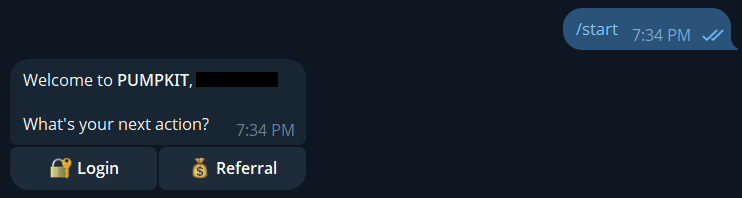
No extra setup - your Telegram identity = your PumpKit login.
Log In
Logging in is just as simple:
- In the Telegram Bot, click Login.
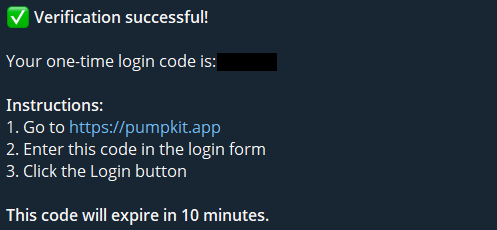
- Solve the captcha to get your single-use 6-character login code.
- Go to the PumpKit website and click Login / Launch Now.
- Enter your code and click Login. If valid, you’ll be redirected straight to your PumpKit dashboard.
💡 Notes & Tips
- Each login code is one-time use only. If it expires, request a fresh one in the bot.
- PumpKit supports only one active session at a time.
- If you log in on mobile while logged in on PC, your PC session will be revoked automatically.
- This ensures security and protects data integrity.