Wallet Warmup
Warm up wallets with buy/sell cycles on tokens to avoid detection. Use before dispersing or trading to make wallets appear more natural on-chain.
Access
User Menu → Manage → Warmup tab in the Wallet Manager.
Overview
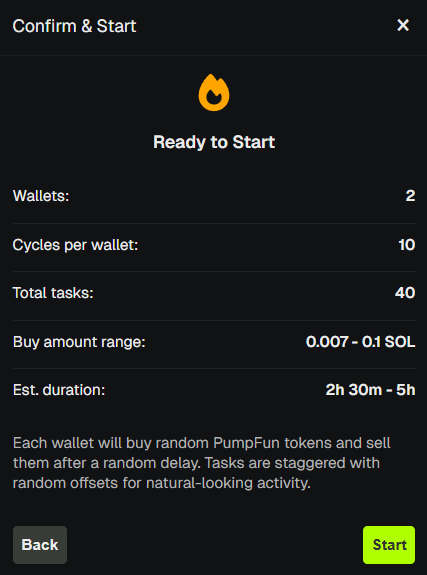
Wallet Warmup runs buy/sell cycles on tokens (Pump.fun/PumpSwap) to create on-chain trading activity. This helps avoid detection by tools like BubbleMaps that flag wallets with no prior activity. Each wallet buys tokens, waits, then sells—simulating natural trading behavior.
Creating a Warmup Run
- Go to Wallet Manager → Warmup.
- Click Create Warmup.
- Select wallets to warm (or use a Wallet Preset). Up to 20 wallets per run.
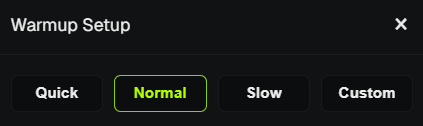
- Choose a speed preset:
- Quick - Fast warmup (~10–20 min), 5 rounds.
- Normal - Spread over a few hours, 10 rounds.
- Slow - Natural activity over ~24h, 20 rounds.
- Custom - Manual configuration (rounds, buy amounts, delays).
- Start the run.
Run Status
- Pending - Queued, not yet started.
- Running - Actively processing buy/sell tasks.
- Paused - Temporarily stopped.
- Completed - Finished successfully.
- Cancelled - Stopped by user.
Click a run to see details and cancel if needed.
Run Detail
- View progress and task count.
- Cancel the run at any time.
- Delete completed runs from history.
Tips for Stealth
- Slower presets (Normal, Slow) create more natural on-chain patterns.
- Custom mode: use longer delays between buys and before sells.
- Warm before dispersing or trading for best results.
warning
Warmup uses SOL from your wallets for buy/sell cycles. Each wallet needs at least ~0.005 SOL. Ensure you have enough SOL to cover buys and fees.
💡 Notes & Tips
- Wallets already in another warmup run cannot be selected for a new run.
- Max 20 wallets per run - create multiple runs if needed.
- Use presets to quickly warm the same wallet groups repeatedly.
- Delete history to clear finished runs from the list.
- Warmup runs in the background - you can close the modal and continue using PumpKit.